Huawei
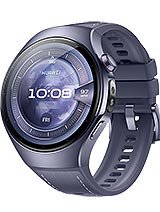
Huawei Watch 5 Specifications
See the latest Specifications for Huawei Watch 5 Network Technology GSM / HSPA / LTE 2G bands GSM 850 / 900 / 1800 / 1900 – cellular model only 3G bands HSDPA 800 / 850 […]



If you’re experiencing crashes with the Mail app on iOS 18.5, follow these steps to troubleshoot and fix the issue:
Restart Your Device: Hold down the power button, slide to power off, and then turn it back on.
Update iOS: Ensure you have the latest updates by going to Settings > General > Software Update.
Check Mail Settings: Go to Settings > Mail > Accounts and ensure your email accounts are configured correctly.
Remove and Re-add Accounts: If a specific account is causing issues, try removing it under Settings > Mail > Accounts, and then re-add it.
Clear Mail App Cache: Close the Mail app completely, then reopen it to clear temporary data.
Reset All Settings: Go to Settings > General > Transfer or Reset iPhone > Reset > Reset All Settings. This won’t delete your data but will reset system settings.
By following these steps, you should be able to resolve the Mail app crashing issue on iOS 18.5.



Exciting rumors are circulating about iPadOS 26, with anticipated improvements in multitasking features, a fresh redesign, and additional enhancements. Stay tuned for updates as we dive into what’s expected in the upcoming release!

© GSMTinz.com 2015-2020