Month: May 2025
Apple’s Worldwide Developers Conference kicks off June 9
Exploring Android 16 QPR1 and the Exciting Features of Material 3 Expressive Design
Xiaomi and Qualcomm are joining forces for the future with a multi-year extension of their partnership.
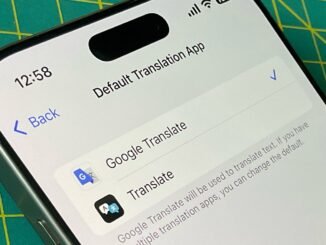
How to Use Google Translate on iPhone
Download the App: Visit the App Store and search for "Google Translate." Download and install the app.
Open the App: Launch Google Translate from your home screen.
Choose Languages: Select the language you want to translate from and the language you want to translate to.
Enter Text: Type or paste the text you want to translate into the designated input box.
Voice Input (Optional): Tap the microphone icon to speak the text you want to translate.
Camera Translation (Optional): Use the camera feature by tapping on the camera icon. Point your camera at text, and the app will translate it in real-time.
Listen to Translations: Tap the speaker icon to hear the translated text pronounced.
Save Translations: You can save frequent translations for easy access later.
Offline Mode: For translations without internet access, download your preferred languages in the app settings.
- Additional Features: Explore features like conversation mode for two-way dialogues or the phrasebook for storing useful phrases.
Now you’re ready to translate text effortlessly using Google Translate on your iPhone!
Download the App: Visit the App Store and search for "Google Translate." Download and install the app.
Open the App: Launch Google Translate from your home screen.
Choose Languages: Select the language you want to translate from and the language you want to translate to.
Enter Text: Type or paste the text you want to translate into the designated input box.
Voice Input (Optional): Tap the microphone icon to speak the text you want to translate.
Camera Translation (Optional): Use the camera feature by tapping on the camera icon. Point your camera at text, and the app will translate it in real-time.
Listen to Translations: Tap the speaker icon to hear the translated text pronounced.
Save Translations: You can save frequent translations for easy access later.
Offline Mode: For translations without internet access, download your preferred languages in the app settings.
Oppo A2 Pro Specifications
Samsung Galaxy Tab S9 FE Specifications
Space Cadet Pinball, famous from Windows, is now available on Android!
Ask Jerry: Will foldable phones ever be truly durable?