IOS
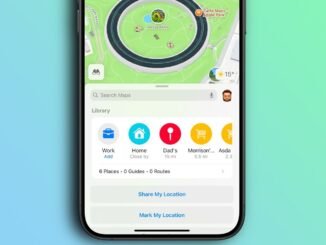
Learn how to utilize the Apple Maps Library feature in iOS 18 by following these steps:1. Open the Apple Maps app on your iOS device. 2. Tap on the “Library” tab located at the bottom of the screen. 3. Here you will find different categories such as Favorites, Guides, and Collections. 4. To add a location to your Favorites, simply tap on the location on the map and select “Add to Favorites.” 5. You can create Guides by selecting multiple locations and adding them to a new Guide. 6. Collections allow you to organize and save multiple locations together for easy access. 7. Customize your Library by creating your own lists and adding locations that are important to you. 8. Use the Library feature to easily access and organize all your saved locations in one place.
iOS 18 adds a new Library feature to the iPhone’s Apple Maps app. Apple’s iOS 18 update includes a Maps Library feature for all of your saved and pinned locations to live, making them easier […]