IOS
OpenAI and Jony Ive are collaborating on a screenless AI necklace, set to launch in 2027.
Apple products transform care at Emory Healthcare
Apple continues to lead in smartphone loyalty, even with a slight decrease.
Apple’s Worldwide Developers Conference kicks off June 9
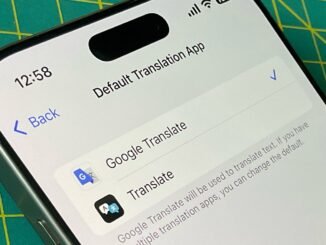
How to Use Google Translate on iPhone
Download the App: Visit the App Store and search for "Google Translate." Download and install the app.
Open the App: Launch Google Translate from your home screen.
Choose Languages: Select the language you want to translate from and the language you want to translate to.
Enter Text: Type or paste the text you want to translate into the designated input box.
Voice Input (Optional): Tap the microphone icon to speak the text you want to translate.
Camera Translation (Optional): Use the camera feature by tapping on the camera icon. Point your camera at text, and the app will translate it in real-time.
Listen to Translations: Tap the speaker icon to hear the translated text pronounced.
Save Translations: You can save frequent translations for easy access later.
Offline Mode: For translations without internet access, download your preferred languages in the app settings.
- Additional Features: Explore features like conversation mode for two-way dialogues or the phrasebook for storing useful phrases.
Now you’re ready to translate text effortlessly using Google Translate on your iPhone!
Download the App: Visit the App Store and search for "Google Translate." Download and install the app.
Open the App: Launch Google Translate from your home screen.
Choose Languages: Select the language you want to translate from and the language you want to translate to.
Enter Text: Type or paste the text you want to translate into the designated input box.
Voice Input (Optional): Tap the microphone icon to speak the text you want to translate.
Camera Translation (Optional): Use the camera feature by tapping on the camera icon. Point your camera at text, and the app will translate it in real-time.
Listen to Translations: Tap the speaker icon to hear the translated text pronounced.
Save Translations: You can save frequent translations for easy access later.
Offline Mode: For translations without internet access, download your preferred languages in the app settings.
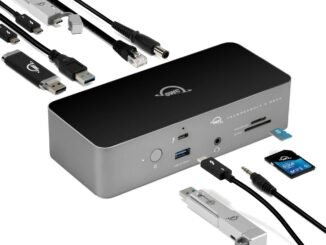
OWC’s Thunderbolt 5 Dock is now available for pre-order.
U.S. officials are raising concerns about Apple’s proposed partnership with Alibaba regarding artificial intelligence.
Apple denies allegations that it has globally banned ‘Fortnite.’